




Know where you’re working.
Confirm the town. Bring the worker’s home jurisdiction and the job’s local references into the same conversation.
GPS → town → worker confirmation“I have you in Princeton, New Jersey. Is that right?”
Who’s building for the people
who build everything?
Strap on your phone. Call Boomer. Get step-by-step guidance grounded in your camera view, your job and local sources.
The electrician tests, decides and stays responsible.
 BUILT FOR THE FIELD
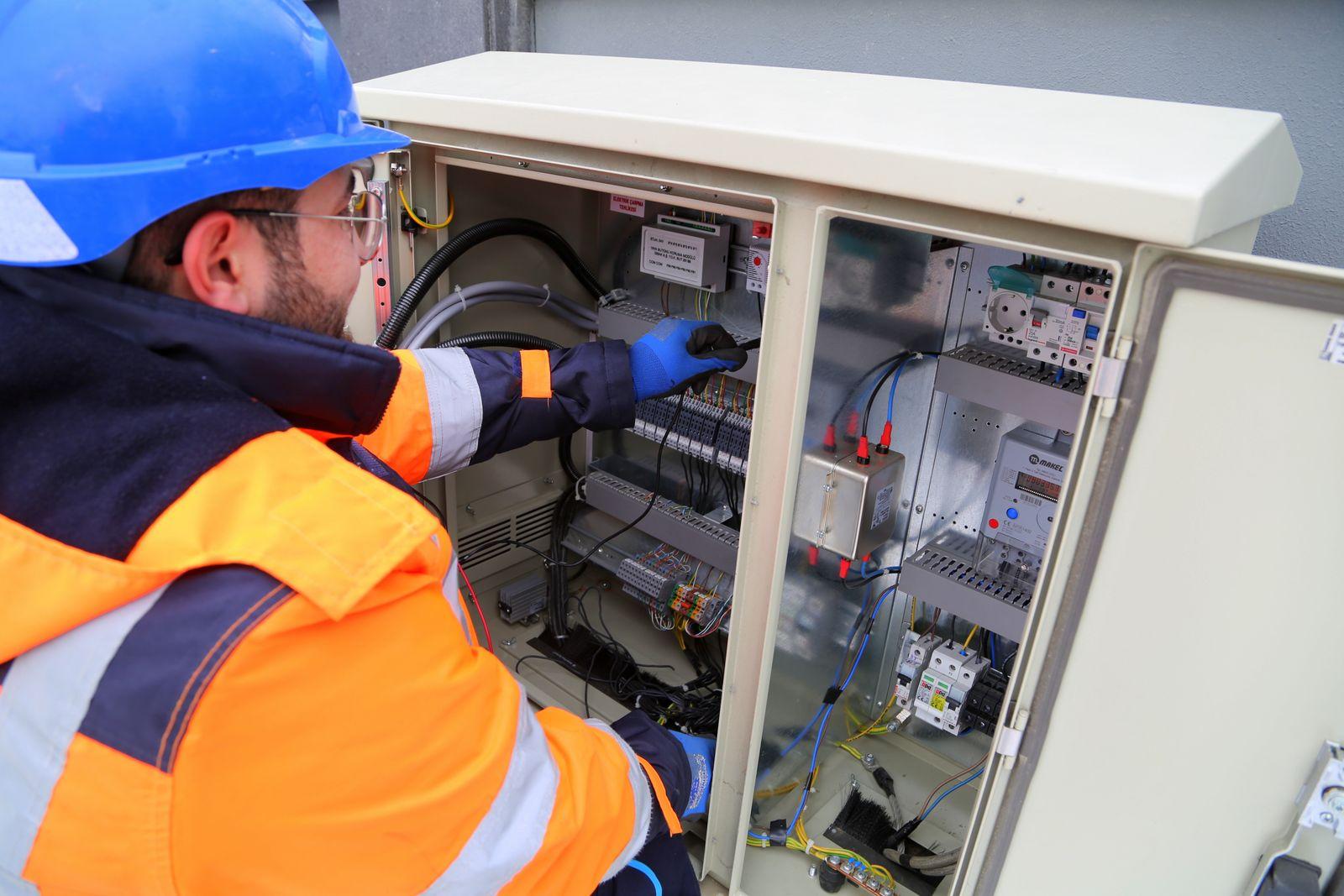
Camera frames and the voice call meet in one job. Say ‘done’ to request a check of what’s visible.
Photon + ElevenLabs voice · Gemini visionConfirm the place. Bring the right references into the call.
Different adopted editions. The countertop GFCI demo does not establish a different LINE/LOAD installation requirement between these locations.
Philadelphia: 2020 NEC ↗ · New Jersey: 2023 NEC ↗
DCA lists adoption August 17, 2026. Confirm transition/grace-period election and rehabilitation subcode for this existing-building job.
Confirm NJ electrical contractor license and business permit with the NJ Board; a Philadelphia credential alone does not establish NJ authority. Licensing source ↗
“I have you in Princeton, New Jersey. Is that right?”
Confirm the town. Bring the worker’s home jurisdiction and the job’s local references into the same conversation.
GPS → town → worker confirmation“I have you in Princeton, New Jersey. Is that right?”
A phone in a chest harness shares still frames. Boomer sees the part while the electrician keeps their hands on the job.
Harness camera → recent still frames“Show me the back of the device.”
A reviewed step template keeps the call grounded. Ask it to repeat, explain or go back without reaching for a screen.
Reviewed template → voice guidance“Find the pair marked LINE. Say ‘repeat’ whenever you need it.”
Say ‘done.’ Boomer checks the recent image, explains a visible correction, or asks for a clearer view. Physical tests stay with the electrician.
Done → visual check → next step or correction“Not yet. Those are the LOAD terminals.”
Example replay · inert prop · simulated electrical tests
“Kitchen outlet needs to be a GFCI.”
Example begins after the two spoken hard gates. The prop stays disconnected throughout.
Scroll through the example, or use the controls.
Boomer guides and checks what the camera can see; the electrician tests, decides and stays responsible.
Kitchen outlet needs to be a GFCI.
Done. Check that.
Not yet. Those are the LOAD terminals. Move both wires to the pair marked LINE.
Looks right. The incoming pair is on LINE.
Keep the observations, corrections and sources. Share the record with the next employer.
OBSERVED BY BOOMER ↗Your GFCI demo job in Princeton is saved. Here’s the work record you can take to your next job.
Illustrative delivery; no message sent by this page.Step photos + correction history + regional references. A camera observation is not an electrical test or a license.
Give the next electrician more than a transcript. The pipeline assembles consented footage and call audio into an editable lesson draft—with chapters, captions, corrections and labeled freeze frames.
Explore the lesson library ↗Private direct uploads and retained recording chunks feed a durable preparation/render queue. An explicit laptop FFmpeg worker exports H.264/AAC video, captions and a poster with labeled freeze-frame annotations.
Revision checks, task leases and retry paths protect the render. Every edit invalidates the prior render and approvals; only the reviewed, worker-permitted revision can be published.
Inspect the pipeline implementation ↗A real session must complete editing, rendering, electrician review and worker permission before its lesson is published.
Original camera recording, call audio, timestamped transcript and step results stay in the private editor. The reviewer selects clips, checks synchronization and retains the mistake alongside its correction.
Open private editor workspace ↗Team sign-in required. Raw recordings are never exposed by this public page.Only published, reviewed revisions can appear here. The pitch remains available while the lesson library loads.
Open the lesson library ↗Inert demonstration · simulated electrical tests · Observed by BoomerVoice, vision and records read the same job state. These are functional roles; the checker and writer run through the backend.
Worker profile · confirmed town · reviewed steps · recent frames · observations · voice and text history
Backend memory reconnects the call and the thread. It is not represented as a separate Photon-native database.The call reads the current job and invokes nine server tools. The backend owns advancement, hard gates and recovery after a dropped call.
Worker: ‘Done. Check that.’ → check_step
Inspect voice guide implementation ↗An unknown number enters a text onboarding workflow. Gemini extracts only the name, home location and experience the worker provides; a parser fallback keeps setup usable when AI is unavailable.
Open implementation ↗Answers texts using the same job state, steps and memory as the voice workflow. Gemini produces a short reply grounded in that context; guarded fallbacks handle missing configuration or model failures.
Open implementation ↗Explicit worker commands save a supervisor, send a requested update, or share a job/work-record sheet. Photon 1.0 mini-app cards can update in place; link and forwardable-message fallbacks handle delivery limits.
Open implementation ↗get_contextlooknext_steprepeat_stepexplain_stepgo_backcheck_stepstop_jobfinish_jobConsented video + original audio + transcript → evidence-grounded edit proposal → editable captions and freeze-frame labels → laptop FFmpeg render → electrician review + worker permission → public lesson.
Explore reviewed lessons ↗Explore the parts behind each track: voice agents, iMessage workflows, Gemini vision and the practical product around them.
A Photon number connects the electrician to a tool-using ElevenLabs voice agent. Camera evidence and the call meet in one backend-owned job.
Repeat, explain, go back, check and stop are real server-tool paths—not UI-only animations.
Recent camera frames feed one Gemini check. Stale evidence and unclear views cannot silently become a positive observation.
Caller matching and job memory recover the open step. Post-call evidence and pick-up text preserve context.
Ask us to repeat a step, catch the staged LOAD mistake, then hang up and resume the same job.
Evidence status: Live calls require the team’s configured Photon/SIP/ElevenLabs deployment.
Track names and sponsor judging angles follow the team’s event brief. This page demonstrates the implementation; it does not claim an award, verified traction or live provider readiness.
Voice and vision meet in the backend. The electrician stays in control.
Recent still frames
Gemini visual checks · reviewed steps
Jurisdiction sources · job memory
SIP call → agent → server tools
This page is a self-contained illustration, not a live session. The product integrates camera capture, voice tools, Gemini checks, jurisdiction lookup and job records. The demo step template and two-jurisdiction references are preloaded. Live provider configuration, physical-device checks and the real recording/review acceptance remain deployment and rehearsal dependencies.
Camera frames and a voice call travel separately; this is not continuous video streaming. The demo uses an inert prop and simulated electrical tests.
Demo setup opens the real product screens. A live call requires the team’s configured phone and providers.